Shift Scheduler Blog
Jak používat pravidla plánování ve Shift Scheduleru
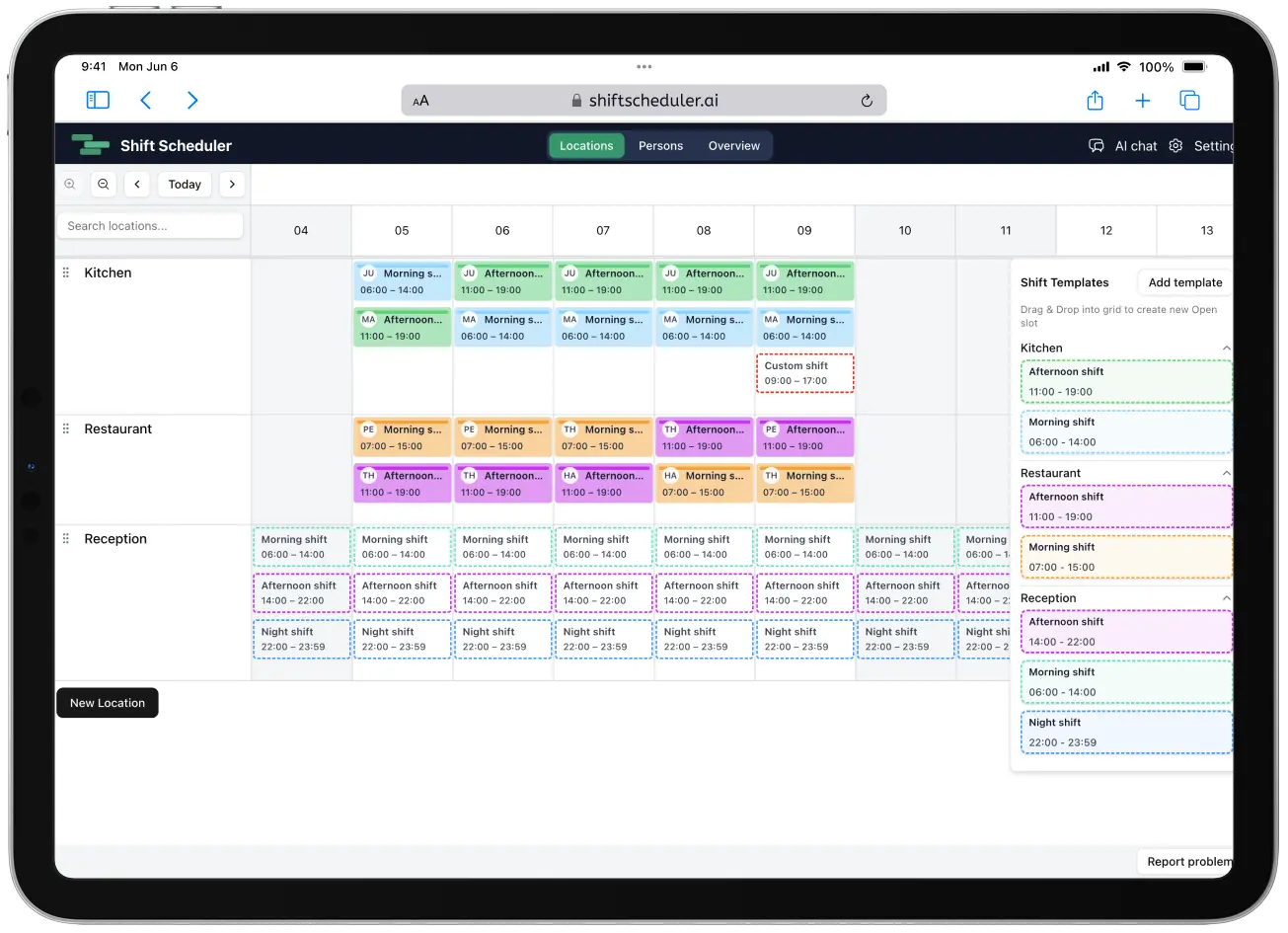
Pravidla plánování říkají Shift Scheduleru, jak má sestavit váš rozpis směn.
Pomáhají převést reálné personální zásady do plánování pomocí AI: kdo může pracovat, kdo se má vyhýbat určitým směnám, jak má fungovat odpočinek a které požadavky mají mít vyšší prioritu.
Stručně:
- Pište pravidla jednoduchým jazykem.
- Vysokou, střední nebo nízkou důležitost používejte pro preference a cíle.
- Must pravidla používejte jen pro požadavky, které se nesmí porušit.
- Vypněte pravidlo, pokud ho chcete zachovat bez vlivu na plánování.
- Pokud rozpis nesedí s očekáváním, upravte důležitost nebo přidejte konkrétnější pravidla.
Co jsou pravidla plánování
Pravidla plánování jsou uložená pravidla rozpisu pro váš pracovní prostor.
Pomáhají systému pochopit omezení jako:
- Maximální počet pracovních dní za sebou
- Odpočinek po náročných směnách
- Dostupnost konkrétních lidí
- Požadavky na dovednosti nebo obsazení
- Limity denních nebo týdenních hodin
Při plánování lidí je každý rozpis kompromis. Manažer často chce zároveň plné pokrytí, nízké přesčasy, zohlednění preferencí, zákonný odpočinek i stabilní rotaci. Někdy se tyto cíle dají sladit. Jindy si odporují.
Pravidla plánování říkají systému, co je důležité a jakou váhu má mít daný požadavek při výběru výsledného rozpisu.
Jak napsat pravidlo jednoduchým jazykem
Nemusíte psát vzorce ani ručně nastavovat číselné penalizace.
Stačí použít jednoduché věty, které popisují, co se má v rozpisu stát. Dobré pravidlo plánování směn obvykle odpovídá alespoň na jednu z těchto otázek:
- Na koho se pravidlo vztahuje?
- Týká se konkrétní směny, dne, lokality nebo situace?
- Je to preference, nebo přísný požadavek?
- Co má systém udělat, když pravidlo platí?
Příklady:
Nikdo by neměl pracovat více než 5 dní za sebou.Po noční směně dej člověku alespoň jeden den volna.Neplánuj méně zkušené lidi samotné na zavírací směny.Snaž se udržet každého člověka pod 40 hodinami týdně.Marta by neměla mít více než 2 směny T týdně.
Tato pravidla jsou jasná, protože popisují konkrétní chování rozpisu. Systém je může použít při porovnávání možných řešení.
Pro jednu nebo více pojmenovaných směn můžete nastavit maximum na osobu a kalendářní týden (pondělí až neděle) nebo kalendářní měsíc. Pokud pravidlo uvádí více typů směn, sdílejí jeden společný limit. Odpovídající běžné směny se počítají napříč všemi lokalitami, včetně již existujících směn ve stejném týdnu nebo měsíci; Time Off ani vlastní směny se nepočítají. Limit Must je nepřekročitelný, zatímco Vysoká, Střední nebo Nízká důležitost přidá svou penalizaci za každou směnu nad limit.
Důležitost a vypnutá pravidla
Každé pravidlo má jednu z pěti úrovní:
| Důležitost | Jak se chová |
|---|---|
| Must | Tvrdé omezení, které se nesmí porušit. |
| Vysoká | Měkké pravidlo s penalizací 6000 bodů za porušení. |
| Střední | Měkké pravidlo s penalizací 4000 bodů za porušení. |
| Nízká | Měkké pravidlo s penalizací 2000 bodů za porušení a výchozí volba pro nová ručně přidaná pravidla. |
| Nevynucovat pravidlo | Penalizace 0; pravidlo zůstane uložené, ale neovlivňuje plánování. |
Must pravidla si nechte pro nevyjednatelné zákonné, bezpečnostní nebo provozní požadavky. Vysokou, střední a nízkou důležitost používejte k vyjádření kompromisů mezi aktivními měkkými pravidly.
Když označíte příliš mnoho pravidel jako Must, rozpis se může stát nemožným. Přísná sada tvrdých omezení může nechat směny neobsazené, protože systém nesmí porušit ani jedno z nich.
Pořadí pravidel je pouze vizuální
Pravidla můžete přesouvat, aby byl seznam přehledný. Pořadí nemění důležitost, penalizace, omezení ani výsledek solveru. Must i vypnutá pravidla mohou být kdekoli a změna důležitosti kartu nepřesune.
Vliv na plánování nastavujete výběrem důležitosti, ne pořadím karty.
Co dělá pravidlo dobrým
Dobré pravidlo je konkrétní, ověřitelné a realistické.
Použijte tento checklist:
- Jedno pravidlo má popisovat jednu myšlenku.
- Zmiňte osobu, skupinu, typ směny, lokalitu nebo datum, když na tom záleží.
- Použijte čísla, když je limit číselný.
- Must pravidlo použijte jen tehdy, když je porušení pravidla nepřijatelné.
- Vyhněte se vágním slovům, pokud existuje jasnější limit.
Dobrá pravidla pomáhají systému dělat podobná rozhodnutí, jaká by dělal manažer.
Slabá pravidla nutí systém hádat.
Slabá pravidla přepsaná na lepší
| Slabé pravidlo | Lepší pravidlo |
|---|---|
Nepřetěžujte lidi. | Nikdo by neměl pracovat více než 5 dní za sebou. |
Noční jsou těžké. | Po noční směně dej člověku alespoň jeden den volna. |
Držte hodiny normální. | Snaž se udržet každého člověka pod 40 hodinami týdně. |
Nedávejte nové lidi na špatné směny. | Neplánuj méně zkušené lidi samotné na zavírací směny. |
Dobrá pravidla pro běžné plánovací situace
Odpočinek a únava
Tato pravidla použijte tehdy, když má rozpis chránit čas na zotavení:
Po noční směně dej člověku alespoň jeden den volna.Nikdo by neměl pracovat více než 5 dní za sebou.Jeden člověk nemůže pracovat více než 12 hodin denně.
Pravidla odpočinku mohou mít vysokou, střední nebo nízkou důležitost, případně být Must. Měkké pravidlo přidá penalizaci podle své důležitosti. Must pravidlo odpočinku je tvrdé a mělo by se použít tehdy, když odpočinek vyplývá ze zákona, bezpečnosti nebo nevyjednatelné interní politiky.
Použijte přesný počet dní. "Dva dny volna po noční směně" se uloží jako rest.days: 2, což znamená, že kalendářní dny D+1 i D+2 zůstanou volné po odpovídající směně v den D. Uložená interpretace zobrazená u pravidla by měla obsahovat stejné číslo jako text pravidla.
Férovost je automatická, ale férovost rozdělení může být pravidlo
Nepřidávejte příliš obecná pravidla férovosti celkových hodin, například:
Vyvaž celkové hodiny mezi všemi dostupnými lidmi.
Takový požadavek jako samostatné pravidlo většinou nic nezmění. Shift Scheduler se už automaticky snaží dělat rozpis férový tím, že vyvažuje celkové hodiny mezi dostupnými lidmi a mix šablon směn tam, kde lidé mohou pracovat stejné šablony.
Pokud má každý člověk za měsíc dosáhnout přesného počtu hodin místo relativního vyvážení, například u zkráceného úvazku se 7,5 hodinami za pracovní den, ani to není Scheduling pravidlo. Řekněte cíl, když požádáte AI asistenta, aby vytvořil nebo upravil rozpis, a plánovač pak může nad rámec vaší požadované minimální obsazenosti přidat směny navíc, aby ho dosáhl, aniž by porušil Must pravidla. Podrobnosti najdete v článku jak naplánovat přesný počet hodin za měsíc.
Můžete ale přidat férovost rozdělení pro konkrétní sadu dní v týdnu. Použijte ji tehdy, když problémem nejsou celkové hodiny, ale to, kdo dostává práci v konkrétních dnech.
Příklady:
Udělej víkendové rozdělení férové.Tím se vyvažuje práce v sobotu a neděli.Udělej rozdělení v pátek, sobotu a neděli férové.Tím se vyvažuje práce přes pátek, sobotu a neděli.Udělej rozdělení během celého týdne férové.Tím se vyvažuje práce od pondělí do neděle.
Férovost rozdělení používá odpracované hodiny, ne jen počet směn. Vysoká, střední a nízká důležitost používá 6000, 4000 a 2000 bodů za hodinu odchylky; Must vyžaduje přesnou rovnost.
Přesná kvóta volných víkendů je také přímo podporovaná. Použijte například Každý potřebuje alespoň 2 volné víkendy za měsíc. Celý víkend znamená sobotu i neděli bez běžné pracovní směny; Time Off se za práci nepočítá. Víkend patří do kalendářního měsíce své soboty a systém zkontroluje celý tento měsíc i tehdy, když generujete jen jeho část. Férovost rozdělení použijte pro rovnoměrné rozdělení víkendové práce a pravidlo volných víkendů tehdy, když každý potřebuje konkrétní minimum.
Pokrytí a dovednosti
Tato pravidla použijte tehdy, když směna vyžaduje konkrétní typ člověka:
Každá noční směna musí mít alespoň jednoho zkušeného zaměstnance.Neplánuj méně zkušené lidi samotné na zavírací směny.Každá víkendová směna by měla mít alespoň jednoho člověka vyškoleného pro práci s hotovostí.
Požadavky na dovednosti a bezpečnost jsou často dobrá Must pravidla. Měkčí personální preference mohou mít vysokou, střední nebo nízkou důležitost.
Co dělat, když rozpis nevypadá podle očekávání
Pokud vygenerovaný rozpis nesedí s tím, co jste čekali, neznamená to automaticky, že vás systém ignoroval. Nejčastěji sada pravidel potřebuje víc detailů, jinou důležitost nebo méně tvrdých omezení.
Zkuste tyto kroky:
- Zvyšte důležitost pravidel, která mají mít větší vliv.
- Snižte důležitost preferencí, které mohou snáze ustoupit.
- Přidejte chybějící pravidlo, které vysvětluje očekávaný výsledek.
- Rozdělte široké pravidlo na menší a jasnější pravidla.
- Přepište vágní pravidla pomocí konkrétních limitů, lidí, typů směn nebo termínů.
- Jako Must označte jen skutečně nevyjednatelné požadavky.
- Zkontrolujte, jestli máte dost dostupných lidí pro splnění pravidel.
Například pokud víkendy nejsou rozdělené podle očekávání, přidejte konkrétní pravidlo férovosti rozdělení:
Udělej víkendové rozdělení férové.
Pokud je problém v pátku až neděli, použijte:
Udělej rozdělení v pátek, sobotu a neděli férové.
Zároveň zkontrolujte, jestli jsou správní lidé v těchto dnech dostupní, jestli jsou správně nastavené preference a jestli nepotřebujete konkrétní rotaci nebo pravidlo obsazení.
Pokud někdo pracuje příliš mnoho náročných směn za sebou, přidejte nebo přesuňte pravidlo jako:
Nikdo by neměl pracovat více než 5 dní za sebou.
Pokud systém přiřadí někoho po noční směně a nemělo by se to stát, přidejte nebo označte jako Must:
Po noční směně dej člověku alespoň jeden den volna.
Nejlepší postup je iterativní. Vygenerujte rozpis, zkontrolujte výsledek, upravte pravidla a vygenerujte ho znovu.
Příklad nastavení důležitosti
Odpočinek můžete označit jako Must, rotaci dát vysokou důležitost a Annině preferenci nízkou důležitost. Karty pak můžete seřadit jakkoli; jejich pozice výsledek nezmění.
FAQ
Co jsou pravidla plánování ve ShiftScheduler.ai?
Pravidla plánování jsou uložené pokyny, které vedou plánování pomocí AI a rozhodování při sestavování rozpisu. Popisují limity odpočinku, preferované směny, požadavky na dovednosti, rotační vzory a další omezení.
Jsou pravidla s důležitostí stejná jako Must pravidla?
Ne. Vysoká, střední a nízká důležitost představují měkká pravidla s různou penalizací. Must pravidla jsou tvrdá omezení a měla by se používat jen pro požadavky, které se nesmí porušit.
Proč pravidla přesouvat?
Na plánování nezáleží. Pořadí slouží jen k vizuálnímu uspořádání seznamu; sílu pravidla nastavuje důležitost.
Musím nastavovat číselné penalizace?
Ne. Vyberete vysokou, střední nebo nízkou důležitost a Shift Scheduler automaticky použije 6000, 4000 nebo 2000 bodů.
Mám přidat pravidlo pro vyvažování hodin nebo férové rozdělení víkendů?
Nepřidávejte široké pravidlo na celkové hodiny. Shift Scheduler už automaticky vyvažuje celkové hodiny a pravidlo jako Vyvaž celkové hodiny mezi všemi dostupnými lidmi obvykle nezmění vygenerovaný rozpis. Pokud chcete férovost nad konkrétní částí týdne, použijte férovost rozdělení, například Udělej víkendové rozdělení férové, Udělej rozdělení v pátek, sobotu a neděli férové nebo Udělej rozdělení během celého týdne férové. Pokud místo toho každý potřebuje zaručené minimum, použijte přímou kvótu, například Každý potřebuje alespoň 2 volné víkendy za měsíc. Pokud každý člověk potřebuje za měsíc přesný počet hodin, ani to není Scheduling pravidlo; místo toho řekněte cíl při generování rozpisu, jak je popsáno níže.
Můžu nastavit přesný počet hodin na osobu za měsíc?
Ano. Není to Scheduling pravidlo, takže ho nenajdete v seznamu pravidel. Místo toho řekněte cíl, když požádáte AI asistenta, aby vytvořil nebo upravil rozpis, například Naplánuj srpen tak, aby všichni pracovali 7,5 hodiny za pracovní den, nebo zadejte výchozí číslo s pojmenovanými výjimkami. Plánovač přidá směny navíc nad rámec vaší požadované minimální obsazenosti, aby ho dosáhl, aniž by porušil Must pravidla. Úplné vysvětlení najdete v článku jak naplánovat přesný počet hodin za měsíc.
Co mám dělat, když je rozpis špatně?
Upravte pravidla plánování. Změňte důležitost, přidejte chybějící pravidla, udělejte vágní pravidla konkrétnějšími, rozdělte široká pravidla na menší a Must pravidla používejte jen pro nevyjednatelné požadavky.
Jaká jsou dobrá pravidla plánování směn?
Dobrá pravidla plánování směn jsou konkrétní, realistická a snadno vyhodnotitelná. Dobré pravidlo říká, na koho se vztahuje, kdy platí a jaký výsledek je preferovaný nebo vyžadovaný.
Závěrečná rada
Začněte jednoduše.
Přidejte pravidla, na kterých záleží nejvíc, většinu nechte s nízkou nebo střední důležitostí a Must používejte jen pro tvrdá omezení. Potom zkontrolujte vygenerovaný rozpis.
Pokud rozpis nesedí s očekáváním, upravte důležitost nebo přidejte konkrétnější pravidla. Plánování pomocí AI funguje nejlépe tehdy, když pravidla popisují skutečné kompromisy vašeho pracoviště.
Podrobný přehled číselných penalizací
Shift Scheduler interně používá číselné penalizace a bonusy. Kladné číslo dělá rozpis horším. Záporné číslo je bonus. Penalizaci měkkého pravidla volíte pomocí jeho důležitosti.
| Položka solveru | Interní hodnota | Co znamená |
|---|---|---|
| Nepřiřazená směna | +30000 hlášená penalizace za neobsazenou směnu | Rozpis je penalizován, když otevřená směna zůstane neobsazená. Pokrytí má také nejsilnější cílovou prioritu, takže obsazení směn je první velký cíl. |
| Porušení pravidla s vysokou důležitostí | +6000 za porušení měkkého pravidla | Silná priorita měkkého pravidla. |
| Porušení pravidla se střední důležitostí | +4000 za porušení měkkého pravidla | Střední priorita měkkého pravidla. |
| Porušení pravidla s nízkou důležitostí | +2000 za porušení měkkého pravidla | Flexibilní priorita a výchozí volba pro nová ručně přidaná pravidla. |
| Must pravidlo | Žádná číselná penalizace | Bere se jako tvrdé omezení. Systém by ho neměl porušit; pokud je příliš mnoho Must pravidel v konfliktu, směny mohou zůstat neobsazené. |
| Vypnuté pravidlo | 0 | Zůstává uložené, ale neovlivňuje interpretaci, plánování, skóre ani diagnostiku. |
| Nepreferované datum | +6000, +3000 nebo +1000 za směnu podle pořadí ve frontě | Pozice 1 dostane 6000, pozice 2 dostane 3000 a další 1000. |
| Preferované datum | -6000, -3000 nebo -1000 za směnu podle pořadí ve frontě | Stejná fronta pro dané datum funguje jako bonus. |
| Nepreferovaná konkrétní směna | +6000, +3000 nebo +1000 za odpovídající směnu | Použije pořadí člověka ve frontě pro dané datum. |
| Preferovaná konkrétní směna | -6000, -3000 nebo -1000 za odpovídající směnu | Použije pořadí člověka ve frontě pro dané datum. |
| Férovost celkových hodin | sum absolute hour deviation in centihours * 1000 + max deviation in centihours | Přibližně +100000 hlášené penalizace za 1 hodinu součtu odchylek od cíle plus +100 za 1 hodinu maximální odchylky člověka. |
| Férovost mixu šablon | +1 za centihodinu odchylky mixu šablon | Přibližně +100 hlášené penalizace za 1 hodinu odchylky mixu šablon směn. |
| Férovost rozdělení | Penalizace podle důležitosti pravidla za 1 hodinu odchylky | Vysoká/střední/nízká důležitost používá přibližně +6000, +4000 nebo +2000; Must vyžaduje přesnou rovnost. |
Hlášený souhrn penalizací je seskupuje do kategorií unfilled, fairness, preference a pattern. Kategorie pattern zahrnuje porušení měkkých pravidel plánování včetně měkkých omezení jako odpočinek, maximální hodiny, oprávnění lokality a pravidla typu nemůže pracovat s.
Solver pak porovnává rozpisy lexikograficky:
- Nejprve minimalizuje počet neobsazených směn. Rozpis s lepším pokrytím vítězí dříve, než se porovná férovost, preference nebo skóre měkkých pravidel.
- Mezi rozpisy se stejným nejlepším pokrytím minimalizuje přesně hlášený součet:
unfilled + fairness + preference + pattern.
Na férovost celkových hodin, férovost mixu šablon ani na jinou hlášenou kategorii se neuplatňují žádné další skryté násobitele. Při stejném pokrytí je lepší rozpis s nižším hlášeným součtem. Vizuální pořadí pravidel tento součet neovlivňuje.